
Kado Bar NI40000 Smart Display Error Codes & What They Mean
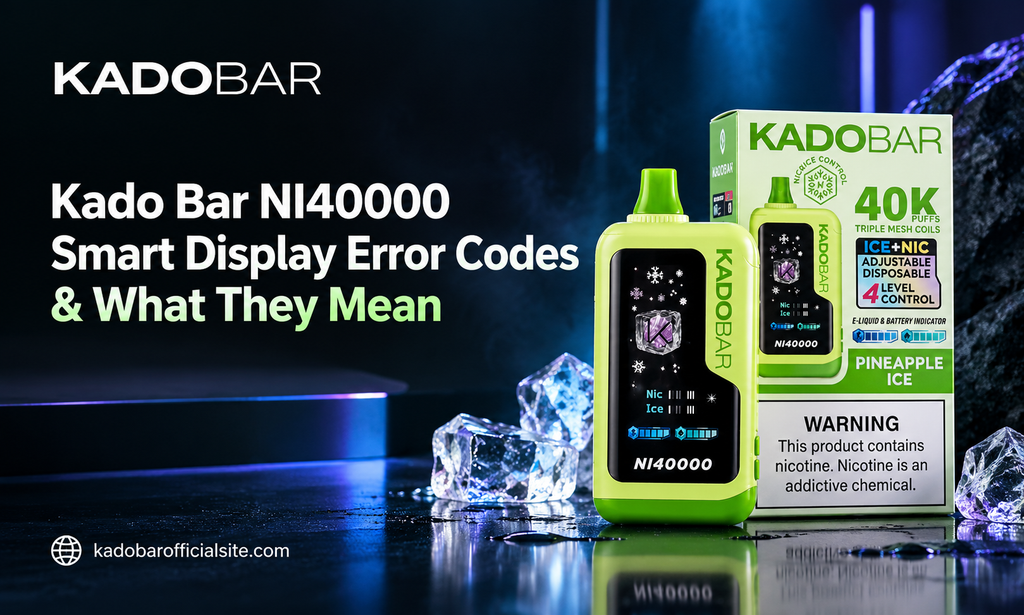
Table of Contents
- Understanding the Kado Bar NI40000 Smart Display
- Decoding Flashing Battery Outlines and Charge Alerts
- E-Liquid Gauge Warnings and Low Tank Indicators
- Short-Circuit Protection Signals and Coil Faults
- Over-Inhalation and Auto-Cutoff Warning Icons
- Thermal Management and Overheat Safety Locks
- Fixing Unresponsive Screens and System Freezes
- Simple Daily Habits to Prevent Hardware Errors
High-capacity disposable vapes have come a long way from simple single-LED light indicators. Today’s devices feature built-in digital display screens that track real-time battery percentages, e-liquid levels, and power settings. These smart screens give you total clarity over your daily vaping experience, making hardware management easier than ever.
However, when an unfamiliar symbol, blinking icon, or percentage drop flashes across your screen, it helps to know exactly what your device is trying to tell you. Modern disposable options like Kado Bar Vapes rely on smart internal chipsets to monitor current flow, thermal limits, and coil resistance. Understanding these visual error signals keeps your sessions smooth and stress-free.
Understanding the Kado Bar NI40000 Smart Display
Integrated digital displays act as a communication hub between the internal control board and the user. The screen provides active readouts on electrical stability, e-liquid capacity, and active mode settings.
When everything operates normally, screen meters respond predictably during inhales or while plugged into a charger. When safety circuits detect an abnormality—such as an over-current spike, low resistance, or high heat—the chipset triggers a specific visual error signal. Knowing the difference between a routine low-battery warning and an active safety lockout keeps your hardware running safely.
Decoding Flashing Battery Outlines and Charge Alerts
The battery percentage gauge gives real-time visibility into your internal 1000mAh power supply. However, battery readout changes do not always mean your power cell is damaged.
Using zero-nicotine hardware like the Kado Bar NI40000 Zero Nicotine still relies on standard lithium-ion charging rules. Here are the primary battery warning signals you might see on your display:
- Blinking Battery Outline: Signals that internal voltage has fallen below 3.3V and requires immediate connection to a USB-C charger.
- Rapid Percentage Sags: Occurs when taking long, high-power draws, causing temporary voltage drops that bounce back once the device rests.
- Static Zero Indicator: Indicates the battery management system has entered low-voltage protection mode to prevent cell damage.
E-Liquid Gauge Warnings and Low Tank Indicators
Smart screen displays use built-in algorithms to estimate e-liquid consumption based on total puff count and draw duration. Visual droplet icons or percentage bars give advance notice before your 24mL reservoir runs completely dry.
When the liquid gauge flashes zero or drops to a single bar, the system alerts you that saturation levels inside the triple-mesh wick are low. Trusting both the screen readout and your taste buds prevents dry hits. If vapor production thins out or flavor shifts, the liquid monitor is confirming that it is time to transition to a fresh device.
Short-Circuit Protection Signals and Coil Faults
If your smart display flashes a coil symbol or rapidly blinks four to five times when you attempt to inhale, the device has activated short-circuit protection. This safety pathway stops current from flowing into the coil if abnormal electrical resistance is detected.
Enjoying clean mint options such as Simply Mint Kado Bar NI40000 depends on a stable connection between the circuit board and the heating grid. Short circuits can occur if minor moisture collects near internal contacts or if the device experiences a heavy drop. Allowing the device to sit upright at room temperature for a few minutes often clears temporary contact glitches.
Over-Inhalation and Auto-Cutoff Warning Icons
To protect both the organic cotton wick and internal battery chemistry, smart disposables feature automatic draw-cutoff timers. Taking continuous draws longer than eight to ten seconds triggers an automatic safety pause.
When this timer limit is reached, the display screen flashes a warning icon or puff counter symbol while temporarily disabling the heating element. This cutoff prevents coil scorching and excessive battery heating. Pausing for a few seconds between draws clears the notification and allows the wick to re-saturate smoothly.
Thermal Management and Overheat Safety Locks
Chain-vaping or leaving hardware in warm environments can cause internal temperatures to rise. The control board includes built-in thermal sensors that continuously monitor operational heat levels.
Sampling vibrant fruit blends like Sour Apple Cranberry Kado Bar NI40000 outdoors during hot summer weather can occasionally trigger high-temperature warnings. When internal heat exceeds safe operating limits, the screen displays an overheat icon and locks out firing functions until the unit cools down. Moving your device into a shaded, room-temperature room resolves thermal lockouts within fifteen to twenty minutes.
Fixing Unresponsive Screens and System Freezes
Occasionally, a digital screen may appear frozen, display garbled lines, or fail to illuminate while the device still produces vapor. Unresponsive displays are usually caused by minor static charge buildup or temporary chipset glitches.
To resolve a screen freeze, plug the unit into a standard 5V/1A USB-C wall charger or computer port for two to three minutes. The influx of steady current resets the display driver without wiping internal memory. If the screen remains blank after charging, check the port for pocket lint or debris that might interfere with pin contact.
Simple Daily Habits to Prevent Hardware Errors
Preventing screen error codes comes down to consistent daily care and smart charging habits. Simple maintenance steps preserve both internal electrical components and liquid delivery systems over time.
Always use standard USB-C charging cables connected to standard wall blocks rather than high-wattage laptop chargers. Store your device upright at room temperature and keep the airflow paths free from dust or pocket debris. Exploring the wide variety of Kado Bar Vape Flavors with a well-maintained device ensures you enjoy smooth vapor, accurate digital tracking, and reliable performance across every single puff.